Copying the Universal Driver 4 to Another Server*
To install the Universal Driver 4, Revelation Software provides a static serial number for use during the installation process. While installing from the setup file with the serial number is the preferred installation method, as an alternative you can manually copy the Universal Driver to a new server by following these steps. This is very handy if you find yourself unable to locate the original serial number or original installation files during an after hours migration.
On the Old Server
- Copy the C:\Revsoft\Universal Driver directory to the new server at the same location.
- Open RegEdit.exe
- Export the registry branch to a file:
HKEY_LOCAL_MACHINE\SOFTWARE\WOW6432Node\RevSoft\Revelation Universal Driver\4.7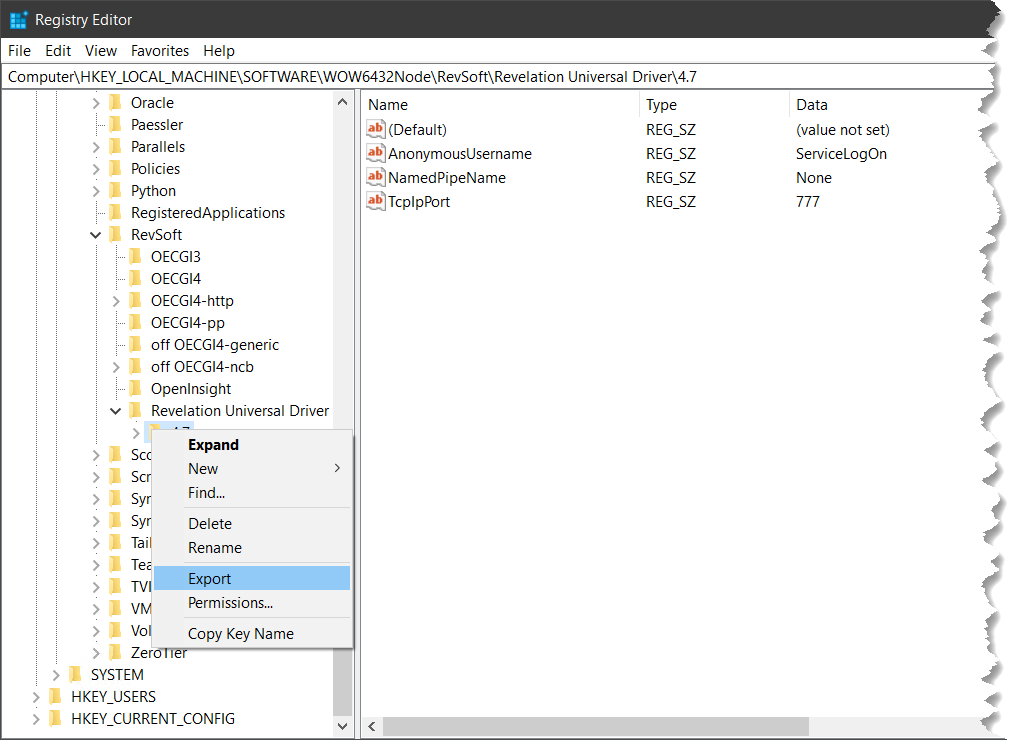
- Copy the exported registry file to the new server.
On the New Server
- Merge the exported registry file into the registry.
- Open the file “C:\Revsoft\Universal Driver\Revparam” in notepad.
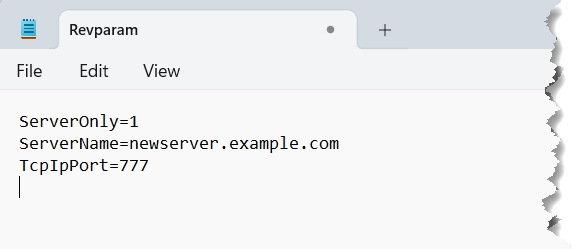
- Change the ServerName parameter to the IP or DNS name of the new server and save the file.
- Open a command prompt as administrator and change to the C:\Revsoft\Universal Driver directory.
- Run the command to install the LinearHash service:
LH47Srvc.exe install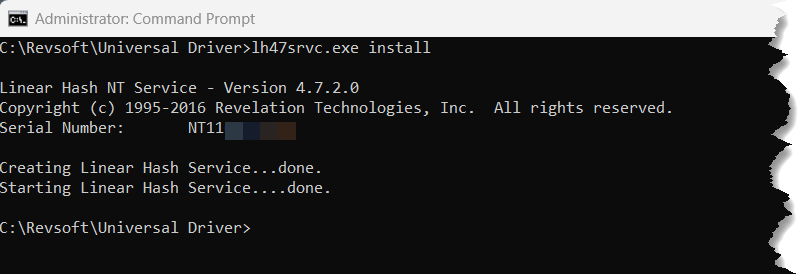
- Create a desktop shortcut named UD Manager to:
“C:\Revsoft\Universal Driver\UD_Manager\Oinsight.exe” /AP=SYSPROG /UN=SYSPROG
Tip: Be sure to set the Start in folder to “C:\Revsoft\Universal Driver\UD_Manager”
You may now launch the newly created UD Manager shortcut to verify the LinearHash service was installed and is functioning.
If the Univeral Driver manager is functioning and showing the correct server information you may begin copying your application to a new server. Be sure to change the revparam file in your application to ensure it points to the correct server. The ServerName parameter in your application’s revparam file should match the value in C:\Revsoft\Universal Driver\Revparam.
* Editor’s Note (December 2025): This article has been updated at the request of Revelation Software to clarify licensing requirements. Per the Revelation Network Products License Agreement, the Universal Driver is licensed per file server and cannot be duplicated or applied more than once. If you use this technique to move an installation to a new server, you must remove or destroy the original installation. Running the same license on multiple servers simultaneously violates the license agreement.

Leave a Reply